These images look like charts, graphs, diagrams, screenshots, or maps based on their filename or alt text. No automated tool can measure contrast inside an image. Confirm that parts required to understand each graphic have at least a 3:1 contrast ratio against adjacent colors, and that meaning is not conveyed by color alone. Plain photographs are exempt from the contrast requirement.
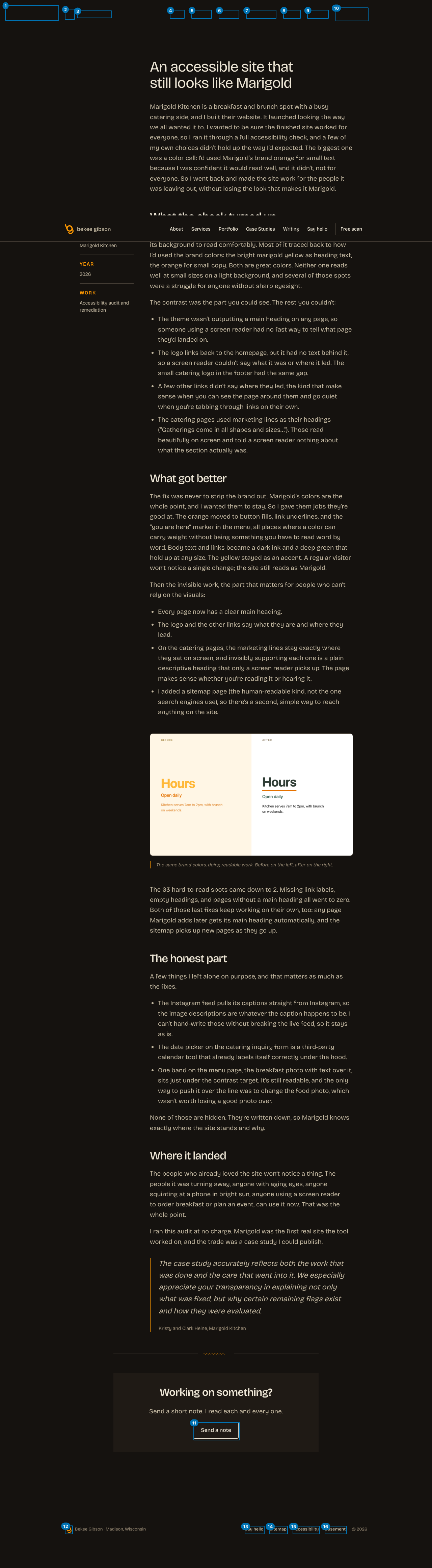
What we found: marigold-contrast-figure-1536x922.png (alt "Before and after: the heading Hours in faint yellow on cream, then in dark green")
Keyboard and focus order (16 stops)
This is the only lane that drives the page instead of reading it: we pressed Tab and recorded where focus actually landed, until it wrapped. Roles and names come from Chrome's own accessibility tree, the same computation it hands a screen reader. A keyboard user passes 10 stops before reaching main content, and the page has a working skip link.
Nothing in this lane is a failure. The keyboard order was walked end to end and the deterministic checks came back clean.
The links list, as a screen reader user gets it 16 links, 13 distinct names
Screen reader users navigate by pulling up every link on the page at once (Insert+F7 in NVDA and JAWS), stripped of the layout that surrounds them. This is that list. Read in place a link can borrow meaning from the heading above it; read here it has only its own name.
Links
All announce as
3
bekee gibson
2
Say hello: contact page
Names appearing more than once, most repeated first. A repeated name is not automatically wrong: a "Home" link in the header and the footer is fine. It matters when the destinations differ and the name does not.
Heading outline, as announced
h1 An accessible site that still looks like Marigold
h2 What the check turned up
h2 What got better
h2 The honest part
h2 Where it landed
h2 Working on something?
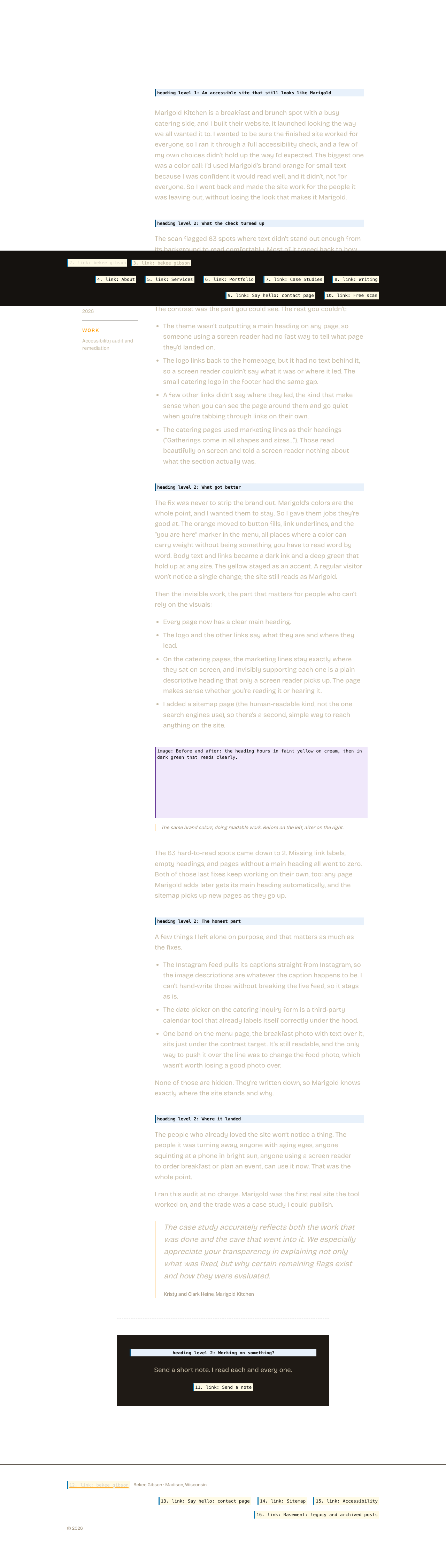
What this looks like on the pageEvery keyboard stop, numbered in the order focus actually visits it. Red marks a stop that is itself a problem. Open full size (new tab)The same layout, showing what is announced instead of what is rendered. Hatched areas carry nothing for a screen reader user: background images, decorative graphics, and media with no text alternative. Interactive elements show the name Chrome computed; everything else is an illustrative approximation, not a finding. Open full size (new tab)
AI-assisted findings (needs human confirmation)
These are judgment calls about link purpose and heading clarity that automated tools cannot make. A model flagged them; confirm before acting.
serious Heading: The honest partAcceptedDeliberate: voice heading. The section topic is clear in context.
This heading does not tell a reader scanning headings what the section covers. 'The honest part' is vague and could apply to any section of any page; it gives no indication of the subject matter discussed.
Suggested: Use a heading that names the specific content, for example: 'Limitations and trade-offs' or 'What we could not fully resolve'
moderate Page title: An Accessible Site That Still Looks Like Marigold
The page title names the client project only indirectly by describing the outcome, not the client or the type of page. A user scanning browser tabs or search results cannot tell from this title alone that it is a case study about Marigold Kitchen.
Suggested: Marigold Kitchen Accessibility Case Study | bekee gibson
moderate Heading: Where it landedAcceptedDeliberate: voice heading. The section topic is clear in context.
This heading is vague and idiomatic. A reader scanning headings cannot determine what outcome or result the section describes without reading the body text.
Suggested: Use a heading that states the result, for example: 'Outcome and current state' or 'Final results for Marigold Kitchen'