No automated violations found on this page for the selected standard. Human review still recommended.
Needs human review (1)
Some checks cannot be decided automatically; a human has to confirm these. No verdict is rendered here.
Color use (SC 1.4.1)
2 links trailed by stranded punctuation Human review
A screen reader chunks a block by its elements, so a text node left alone after a link becomes its own stop. Where that text node is nothing but a period, the listener swipes, hears “period,” and swipes again to reach the next real thing. Read each one and decide whether it is worth an edit: moving the punctuation inside the link removes the stop, and so does rewriting the sentence so the link is not last. This is craft rather than conformance; it maps to no success criterion, and nothing here is a failure.
What we found: “audit page” then “.”; “Here’s what it looks like” then “.”.
Keyboard and focus order (19 stops)
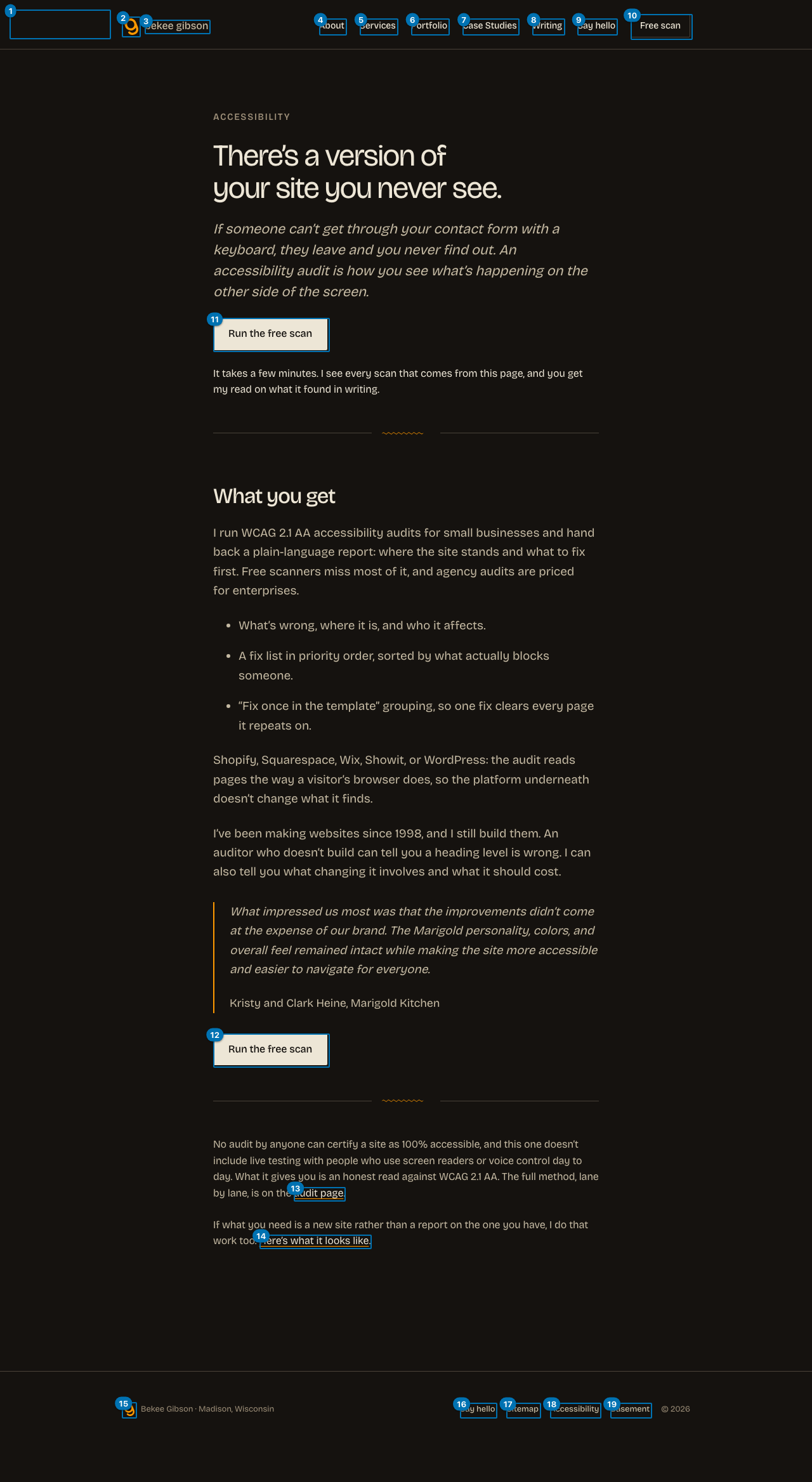
This is the only lane that drives the page instead of reading it: we pressed Tab and recorded where focus actually landed, until it wrapped. Roles and names come from Chrome's own accessibility tree, the same computation it hands a screen reader. A keyboard user passes 10 stops before reaching main content, and the page has a working skip link.
Nothing in this lane is a failure. The keyboard order was walked end to end and the deterministic checks came back clean.
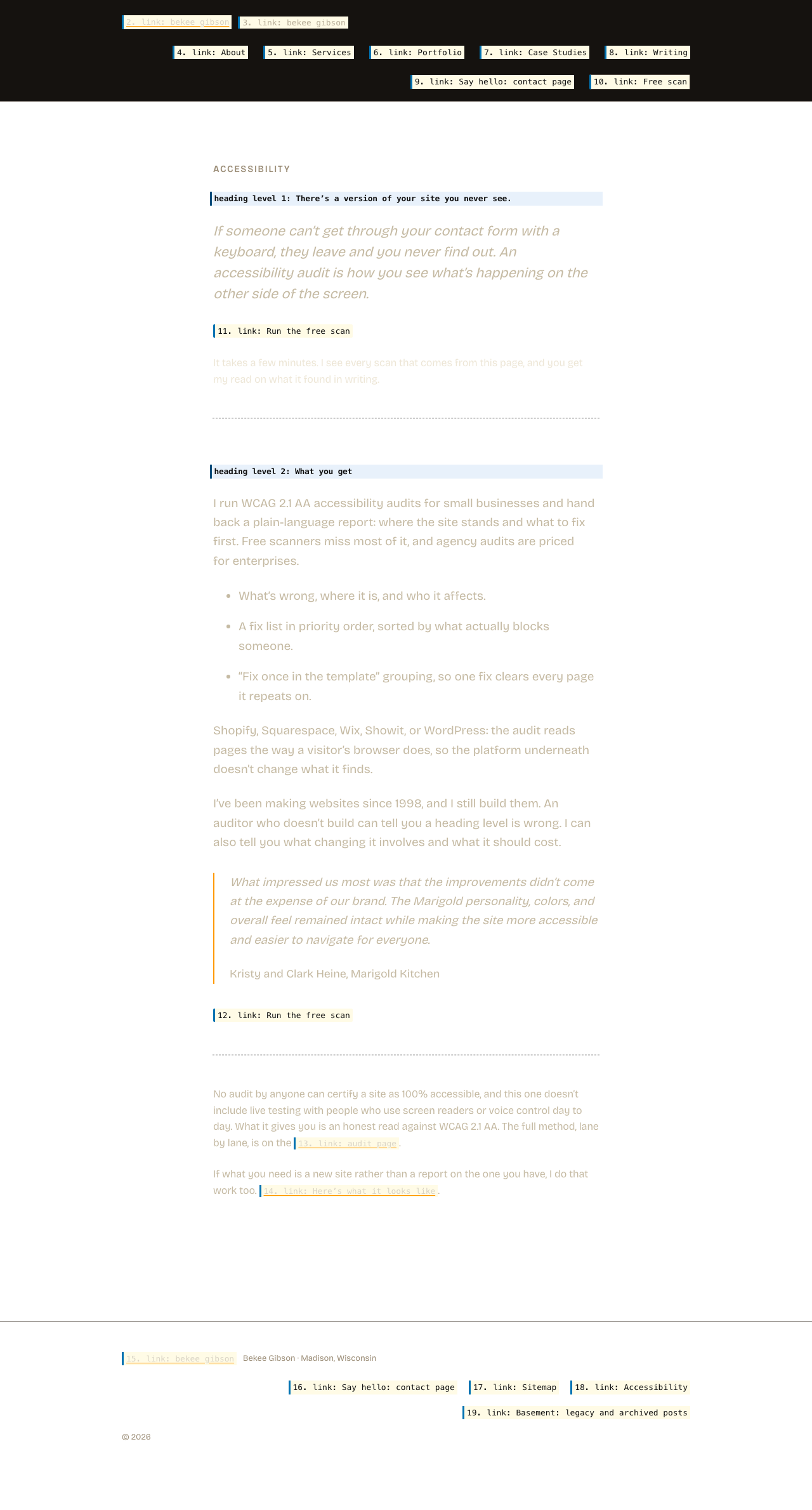
The links list, as a screen reader user gets it 19 links, 15 distinct names
Screen reader users navigate by pulling up every link on the page at once (Insert+F7 in NVDA and JAWS), stripped of the layout that surrounds them. This is that list. Read in place a link can borrow meaning from the heading above it; read here it has only its own name.
Links
All announce as
3
bekee gibson
2
Run the free scan
2
Say hello: contact page
Names appearing more than once, most repeated first. A repeated name is not automatically wrong: a "Home" link in the header and the footer is fine. It matters when the destinations differ and the name does not.
Heading outline, as announced
h1 There’s a version of your site you never see.
h2 What you get
What this looks like on the pageEvery keyboard stop, numbered in the order focus actually visits it. Red marks a stop that is itself a problem. Open full size (new tab)The same layout, showing what is announced instead of what is rendered. Hatched areas carry nothing for a screen reader user: background images, decorative graphics, and media with no text alternative. Interactive elements show the name Chrome computed; everything else is an illustrative approximation, not a finding. Open full size (new tab)
AI-assisted findings (needs human confirmation)
These are judgment calls about link purpose and heading clarity that automated tools cannot make. A model flagged them; confirm before acting.
The link text 'Here's what it looks like' does not convey what 'it' refers to. A screen reader user encountering this link needs to know they are navigating to a services page, but the text only promises a look at something unspecified.
Suggested: Change the link text to something like 'See my website design and build services' or 'See what that work looks like on my services page'.