Inline SVGs can carry information through color: charts, diagrams, map regions, status icons. Confirm that meaning is also conveyed by shape, text, label, or pattern, and that graphical parts required for understanding have at least a 3:1 contrast ratio against adjacent colors. Decorative SVGs (aria-hidden) were excluded.
What we found: 3 non-decorative SVGs, 6 decorative SVGs excluded.
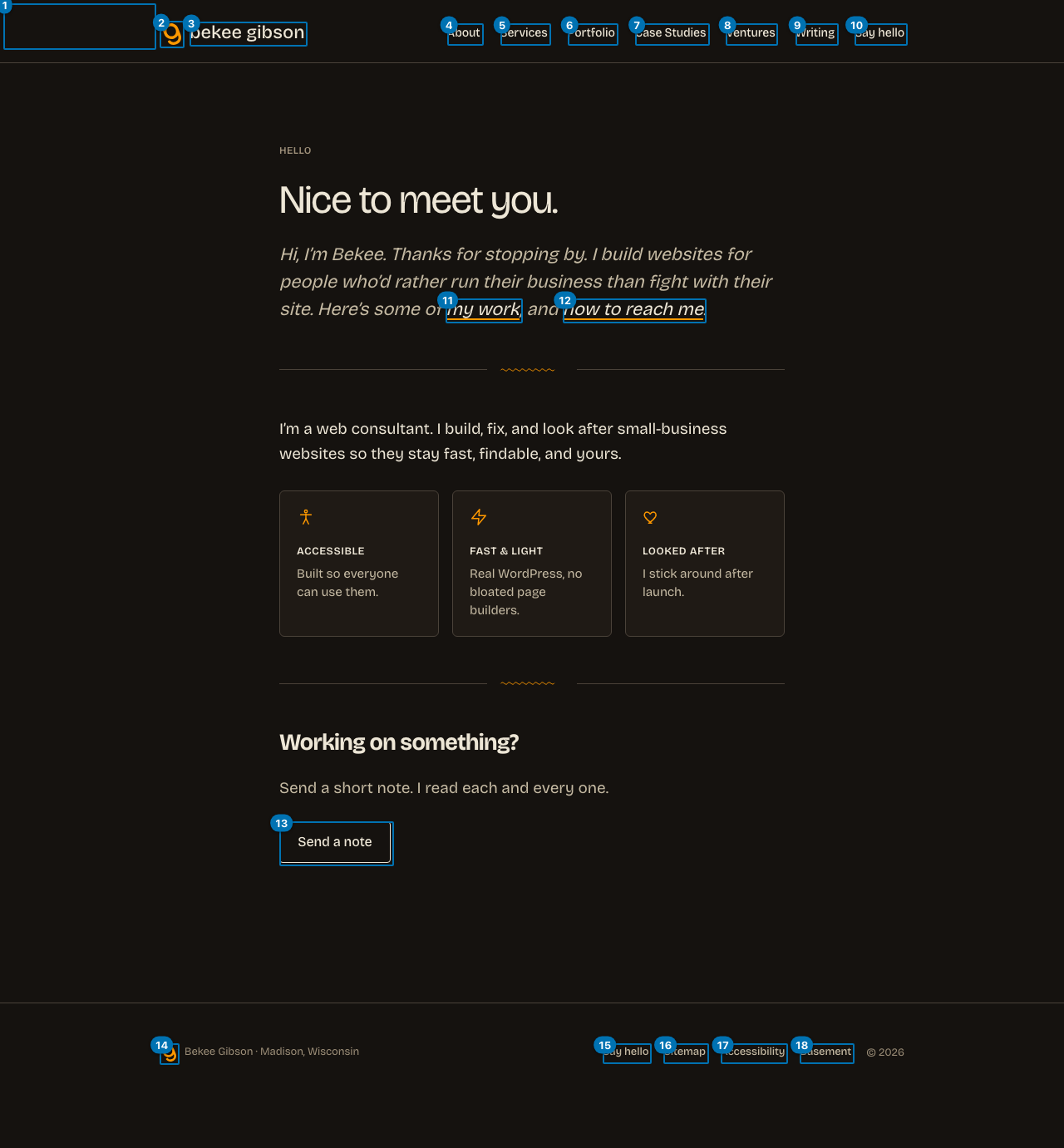
Keyboard and focus order (18 stops)
This is the only lane that drives the page instead of reading it: we pressed Tab and recorded where focus actually landed, until it wrapped. Roles and names come from Chrome's own accessibility tree, the same computation it hands a screen reader. A keyboard user passes 10 stops before reaching main content, and the page has a working skip link.
Nothing in this lane is a failure. The keyboard order was walked end to end and the deterministic checks came back clean.
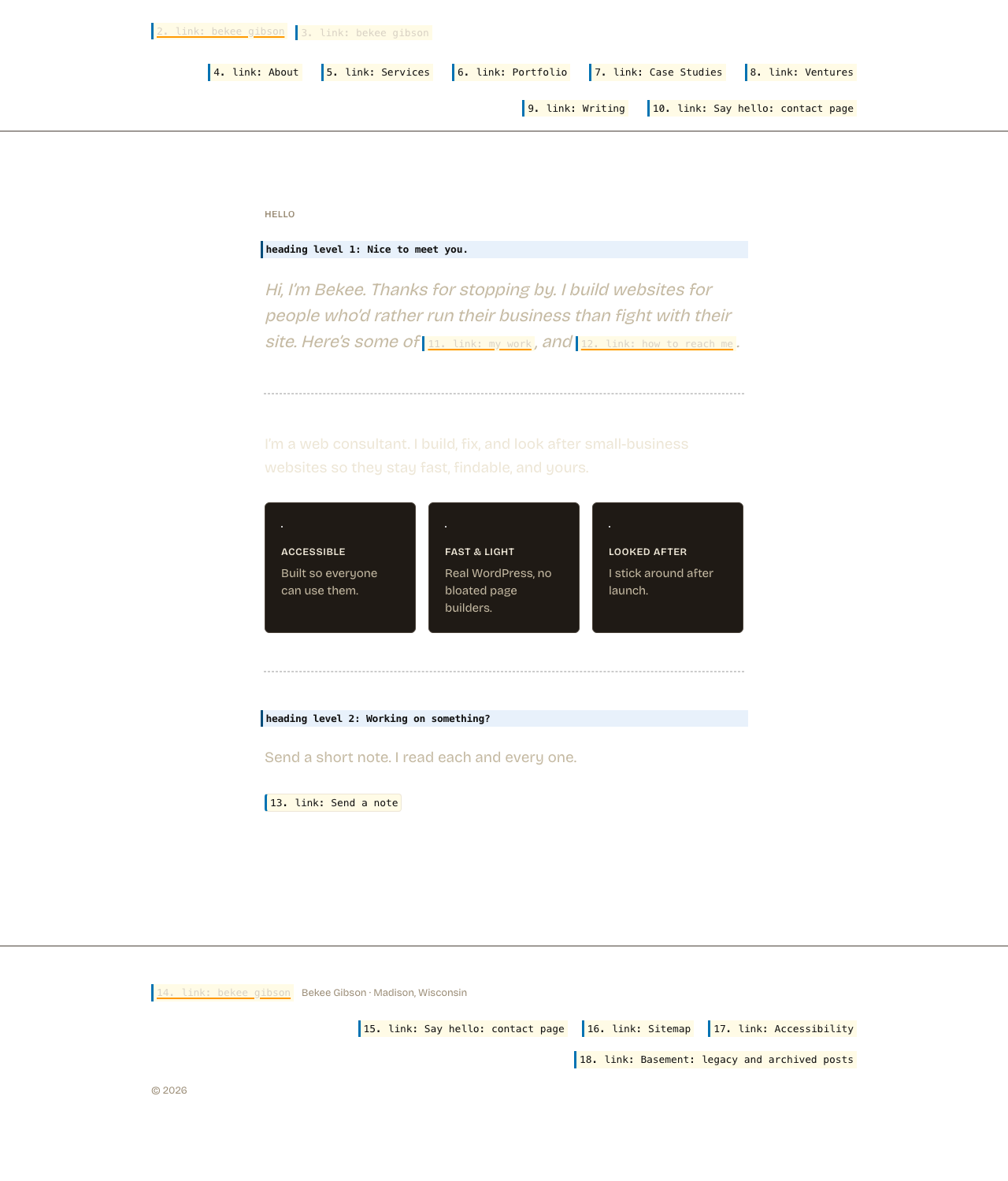
The links list, as a screen reader user gets it 18 links, 15 distinct names
Screen reader users navigate by pulling up every link on the page at once (Insert+F7 in NVDA and JAWS), stripped of the layout that surrounds them. This is that list. Read in place a link can borrow meaning from the heading above it; read here it has only its own name.
Links
All announce as
3
bekee gibson
2
Say hello: contact page
Names appearing more than once, most repeated first. A repeated name is not automatically wrong: a "Home" link in the header and the footer is fine. It matters when the destinations differ and the name does not.
Heading outline, as announced
h1 Nice to meet you.
h2 Working on something?
What this looks like on the pageEvery keyboard stop, numbered in the order focus actually visits it. Red marks a stop that is itself a problem.The same layout, showing what is announced instead of what is rendered. Hatched areas carry nothing for a screen reader user: background images, decorative graphics, and media with no text alternative. Interactive elements show the name Chrome computed; everything else is an illustrative approximation, not a finding.
AI-assisted findings (needs human confirmation)
These are judgment calls about link purpose and heading clarity that automated tools cannot make. A model flagged them; confirm before acting.
The h1 'Nice to meet you.' is a greeting phrase and does not describe the content or purpose of the page. A user relying on headings to understand page structure would not know what this page is about or what section follows.
Suggested: Use a heading that identifies the page subject, for example 'Hello, I'm Bekee Gibson' or 'Bekee Gibson, Web Developer'.
The h2 'Working on something?' is a rhetorical question and does not describe the section that follows it. A screen reader user skimming headings cannot determine what content is in that section.
Suggested: Use a heading that describes the section's content, for example 'Start a Project' or 'Let's Work Together'.